Rich Text
Rich text renders a string of HTML, e.g. content from a CMS or a rich text editor. Use it for formatted
paragraphs, lists and headlines which you do not want to compose from Text views. Only render HTML
from trusted sources. To render Markdown, convert it with markdown.RichText(value string) ui.TRichText from
package presentation/ui/markdown.
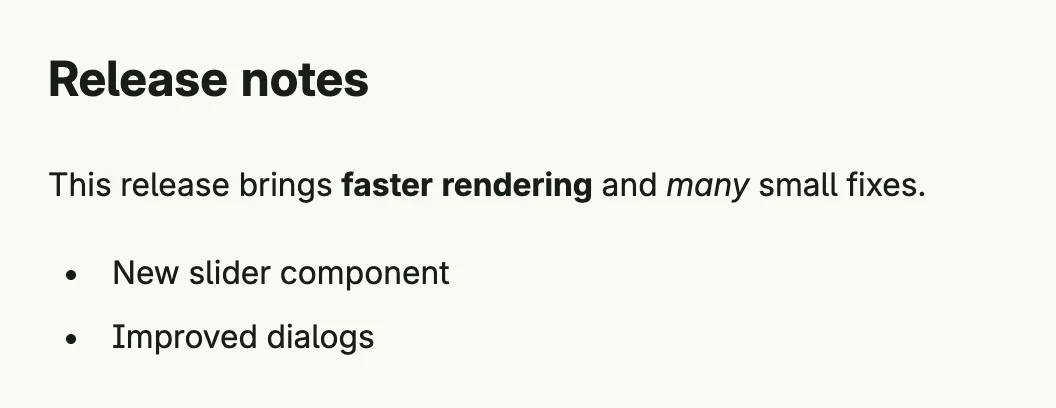
RichText(`<h2>Release notes</h2>
<p>This release brings <b>faster rendering</b> and <i>many</i> small fixes.</p>
<ul>
  <li>New slider component</li>
  <li>Improved dialogs</li>
</ul>`).Frame(Frame{Width: L480})
A relative link of the own origin navigates within the application, like a link of a stack, instead of loading
the page anew. An external link opens in a new tab, which gets no access to the application. For text which
neither you nor the user wrote, e.g. the answer of an AI model, ConfirmExternalLinks(true) asks the user
before an external link is opened and shows its full address.
Constructors
| Constructor | Description |
|---|---|
func RichText(value string) TRichText | Creates a rich text component with the given HTML. |
Methods
| Method | Description |
|---|---|
ConfirmExternalLinks(confirm bool) TRichText | ConfirmExternalLinks asks the user before an external link is opened and shows its full address. |
Frame(frame Frame) TRichText | Frame sets the layout frame for the rich text component. |
FullWidth() TRichText | FullWidth expands the rich text component to take the full available width. |
Value(value string) TRichText | Value sets the rich text content to be rendered. |
Related
- Text
- Rich Text Editor
- Tutorials: Rich text, Raw HTML