Code Editor
The code editor is a text area with line numbers and syntax highlighting. Use it to let users edit
source code, templates or configuration. Language is a hint for the highlighting, e.g. go, json or
html.
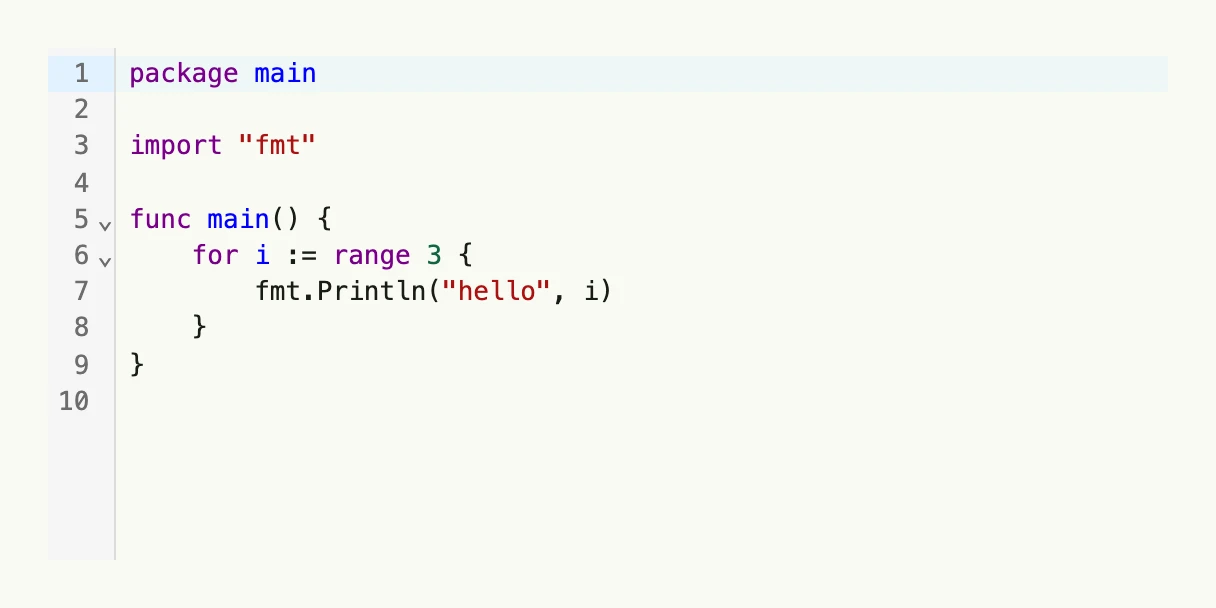
const codeSample = `package main

import "fmt"

func main() {
    for i := range 3 {
        fmt.Println("hello", i)
    }
}
`

func view(wnd core.Window) core.View {
    source := core.AutoState[string](wnd).Init(func() string { return codeSample })

    return CodeEditor(source.Get()).
        InputValue(source).
        Language("go").
        Frame(Frame{Width: L560, Height: L256})
}
Constructors
func CodeEditor(value string) TCodeEditorCodeEditor creates a new code editor with the given initial value and a default tab size of 4 spaces.
Methods
| Method | Description |
|---|---|
Disabled(b bool) TCodeEditor | Disabled enables or disables user interaction with the editor. |
Frame(frame Frame) TCodeEditor | Frame sets the layout frame of the editor, including size and positioning. |
FullWidth() TCodeEditor | FullWidth sets the editor to span the full available width. |
InputValue(state *core.State[string]) TCodeEditor | InputValue binds the editor to an external state for controlled text value updates. |
Language(language string) TCodeEditor | Language gives a syntax highlighting hint. |
Value(value string) TCodeEditor | Value sets the initial text content of the code editor. |