Form
Form groups input fields into an HTML form. It enables the browser’s autocomplete and submits with
the Enter key, which calls the action. Use form.Fieldset to group related fields under a title.
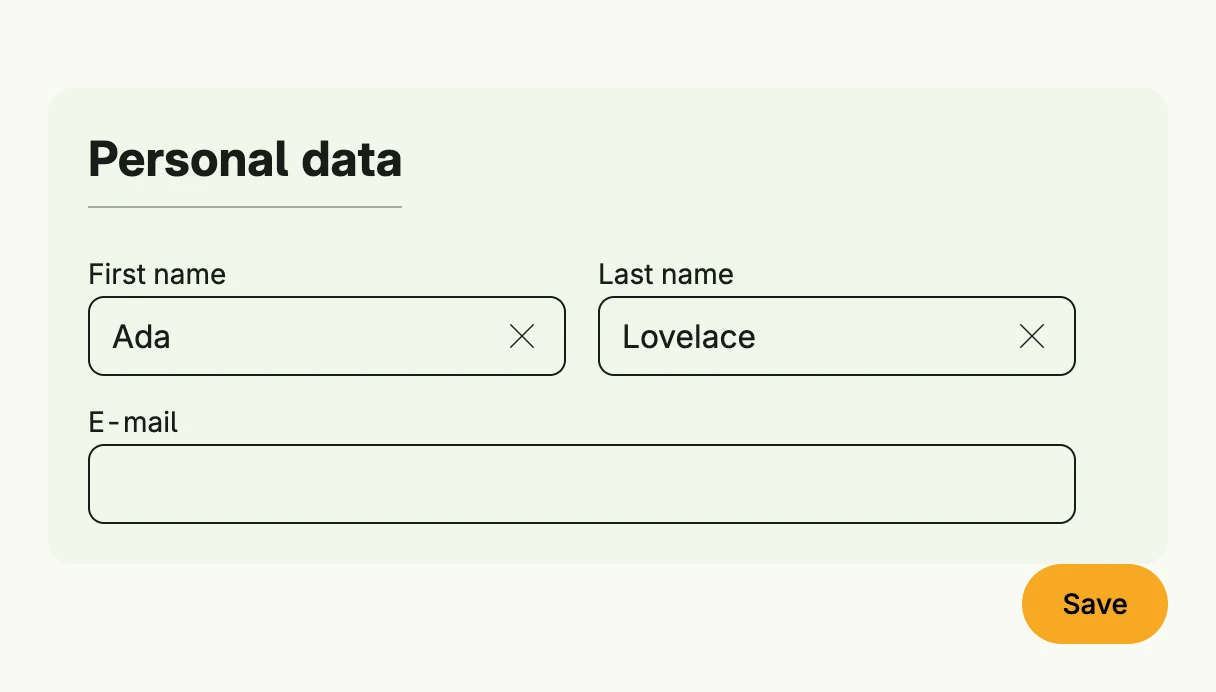
func view(wnd core.Window) core.View {
    firstName := core.AutoState[string](wnd).Init(func() string { return "Ada" })
    lastName := core.AutoState[string](wnd).Init(func() string { return "Lovelace" })
    email := core.AutoState[string](wnd)

    submit := func() {
        // validate and save the input
    }

    return Form(
        form.Fieldset(
            VStack(
                HStack(
                    TextField("First name", firstName.Get()).InputValue(firstName),
                    TextField("Last name", lastName.Get()).InputValue(lastName),
                ).Gap(L16),
                TextField("E-mail", email.Get()).InputValue(email).FullWidth(),
            ).Gap(L16).Alignment(Leading),
        ).Title("Personal data"),
        HStack(PrimaryButton(submit).Title("Save")).Alignment(Trailing).FullWidth(),
    ).Action(submit).Autocomplete(true).Frame(Frame{Width: L560})
}
Constructors
func Form(children ...core.View) TFormForm creates a new form containing the given child views.
Methods
| Method | Description |
|---|---|
Action(action func()) TForm | Action sets the callback function to be executed when the form is submitted. |
Autocomplete(b bool) TForm | Autocomplete enables or disables browser autocomplete for the form. |
Frame(frame Frame) TForm | Frame sets the layout frame of the form, including size and positioning. |
ID(id string) TForm | ID assigns a unique identifier to the form. |