Line Chart
A line chart shows how values develop, typically over time. Each chart.Series becomes one line, the
X labels of the data points form the x-axis. The curve can be straight, smooth or a step line.
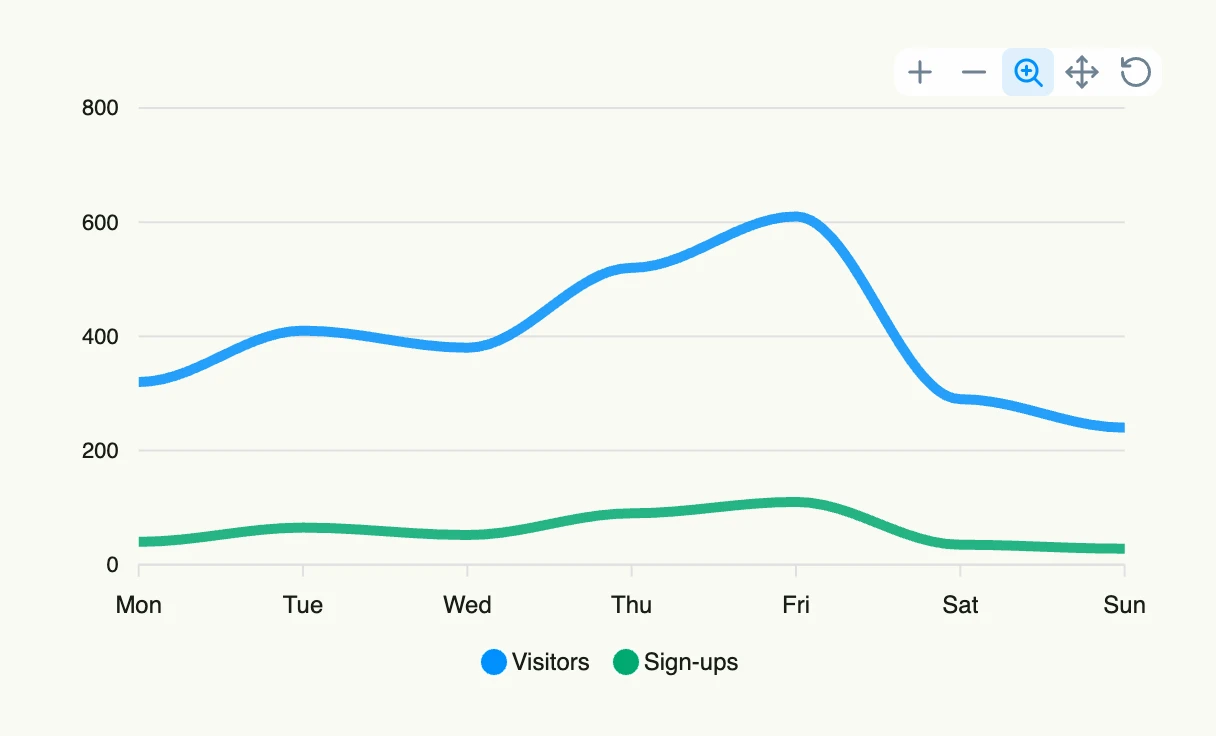
func view(wnd core.Window) core.View {
    series := []chart.Series{
        {
            Label: "Visitors",
            DataPoints: []chart.DataPoint{
                {X: "Mon", Y: 320}, {X: "Tue", Y: 410}, {X: "Wed", Y: 380},
                {X: "Thu", Y: 520}, {X: "Fri", Y: 610}, {X: "Sat", Y: 290}, {X: "Sun", Y: 240},
            },
        },
        {
            Label: "Sign-ups",
            DataPoints: []chart.DataPoint{
                {X: "Mon", Y: 40}, {X: "Tue", Y: 65}, {X: "Wed", Y: 52},
                {X: "Thu", Y: 90}, {X: "Fri", Y: 110}, {X: "Sat", Y: 35}, {X: "Sun", Y: 28},
            },
        },
    }

    return linechart.LineChart(chart.Chart{
        Frame: Frame{}.Size(L560, L320),
    }).Series(series).Curve(linechart.CurveSmooth)
}
Constructors
func LineChart(chart chart.Chart) TLineChartLineChart returns a TLineChart initialized with the given chart.
Methods
| Method | Description |
|---|---|
Chart(chart chart.Chart) TLineChart | Chart sets the chart config. |
Curve(curve Curve) TLineChart | Curve sets the curve style. |
Markers(markers Markers) TLineChart | Markers sets the markers config. |
Series(series []chart.Series) TLineChart | Series sets the data series. |
Related
- Bar Chart
- Pie Chart
- Tutorial tutorial-66-line-chart
- SVG Chart renders the same data as a static SVG without a charting library