Picker
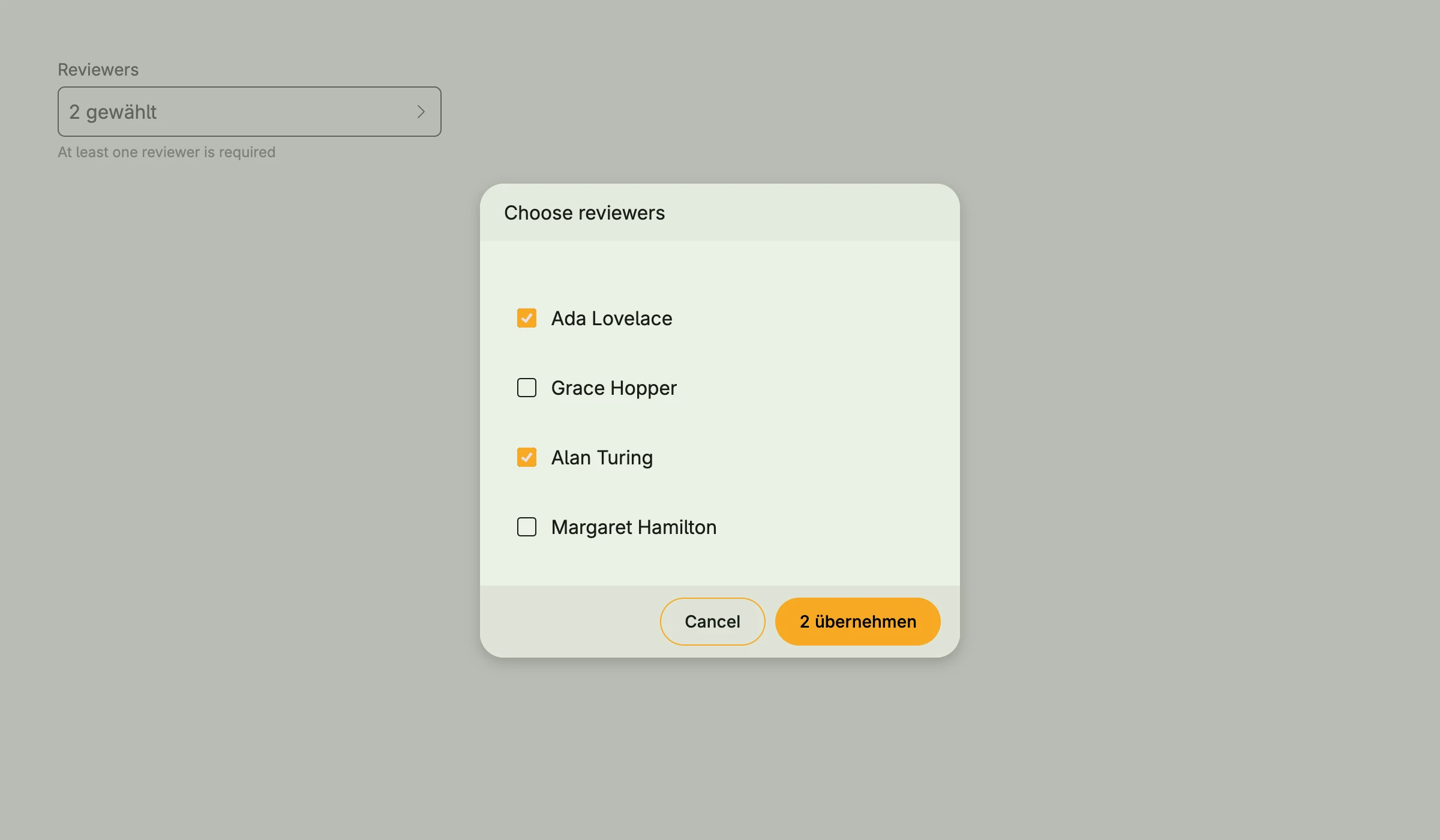
The picker selects one or more values from a slice. The field shows the current selection, a click
opens a dialog with all values. With more than 10 values, the dialog shows a quick filter. Values are
shown by Stringer, by their String method or by ItemRenderer2.
type person struct {
    Name string
    Team string
}

func (p person) String() string {
    return p.Name
}

func view(wnd core.Window) core.View {
    people := []person{
        {"Ada Lovelace", "Engineering"},
        {"Grace Hopper", "Operations"},
        {"Alan Turing", "Research"},
        {"Margaret Hamilton", "Engineering"},
    }

    selected := core.AutoState[[]person](wnd).Init(func() []person {
        return []person{people[0], people[2]}
    })

    // open the dialog right away, as if the user had clicked the field
    presented := core.AutoState[bool](wnd).Init(func() bool { return true })

    return picker.Picker[person]("Reviewers", people, selected).
        WithDialogPresented(presented).
        MultiSelect(true).
        Title("Choose reviewers").
        SupportingText("At least one reviewer is required").
        Frame(Frame{Width: L320})
}
The example opens the dialog right away. Usually, you just pass the selection state and the user opens the dialog by clicking the field.
Constructors
func FromData[E data.Aggregate[ID], ID ~string](label string, selectedState *core.State[[]E], data Data[E, ID]) TPicker[E]FromData is similar to the dataview package.
func Picker[T any](label string, values []T, selectedState *core.State[[]T]) TPicker[T]Picker takes the given slice and state to represent the selection.
Methods
| Method | Description |
|---|---|
AccessibilityLabel(label string) ui.DecoredView | AccessibilityLabel sets the label for screen readers. |
Border(border ui.Border) ui.DecoredView | Border sets the border. |
DetailView(detailView core.View) TPicker[T] | DetailView is optional and placed between the picker section and the button footer. |
Dialog() core.View | Dialog returns the dialog view as if pressed on the actual button. |
DialogOptions(opts ...alert.Option) TPicker[T] | DialogOptions passes options like the height to the selection dialog. |
DialogPresented() *core.State[bool] | DialogPresented returns the state which controls whether the dialog is shown. |
Disabled(disabled bool) TPicker[T] | Disabled disables the user interaction. |
ErrorText(text string) TPicker[T] | ErrorText sets a validation message below the field. |
Frame(frame ui.Frame) ui.DecoredView | Frame sets the layout frame. |
FullWidth() TPicker[T] | FullWidth expands the component to the full available width. |
ItemPickedRenderer(fn func([]T) core.View) TPicker[T] | ItemPickedRenderer can be customized to return a non-text view for the given T. This is shown within the selected window for the currently selected items. |
ItemRenderer(fn func(T) core.View) TPicker[T] | Deprecated: use ItemRenderer2 ItemRenderer can be customized to return a non-text view for the given T. This is shown within the picker popup. |
ItemRenderer2(fn func(wnd core.Window, item T, state *core.State[bool]) core.View) TPicker[T] | ItemRenderer2 can be customized to return a non-text view for the given T. This is shown within the picker popup. |
MultiSelect(mv bool) TPicker[T] | MultiSelect is by default false. |
Padding(padding ui.Padding) ui.DecoredView | Padding sets the inner padding. |
QuickFilterSupported(flag bool) TPicker[T] | QuickFilterSupported sets the quick-filter-support and if true and values contains more than 10 items, the quick filter is shown. |
SelectAllSupported(flag bool) TPicker[T] | SelectAllSupported sets the select-all-support and if true and multiSelect is enabled, a checkbox to select all is shown. |
Stringer(stringer func(T) string) TPicker[T] | Stringer sets the function which converts a value into its display text. |
SupportingText(text string) TPicker[T] | SupportingText sets a hint below the field. |
Title(title string) TPicker[T] | Title sets the title of the selection dialog. |
Visible(visible bool) ui.DecoredView | Visible shows or hides the component. |
WithDialogPresented(state *core.State[bool]) TPicker[T] | WithDialogPresented uses the given state to show or hide the dialog. |
WithFrame(fn func(ui.Frame) ui.Frame) ui.DecoredView | WithFrame transforms the current frame with the given function. |