Scaffold
The scaffold is the frame of an application: logo, navigation menu, body, footer and an optional bottom
view, e.g. for the profile. The navigation is shown at the top or at the leading side and collapses into a
burger menu below the breakpoint. Usually you do not create it yourself but use cfg.NewScaffold() as
decorator, which also adds the login and the admin center.
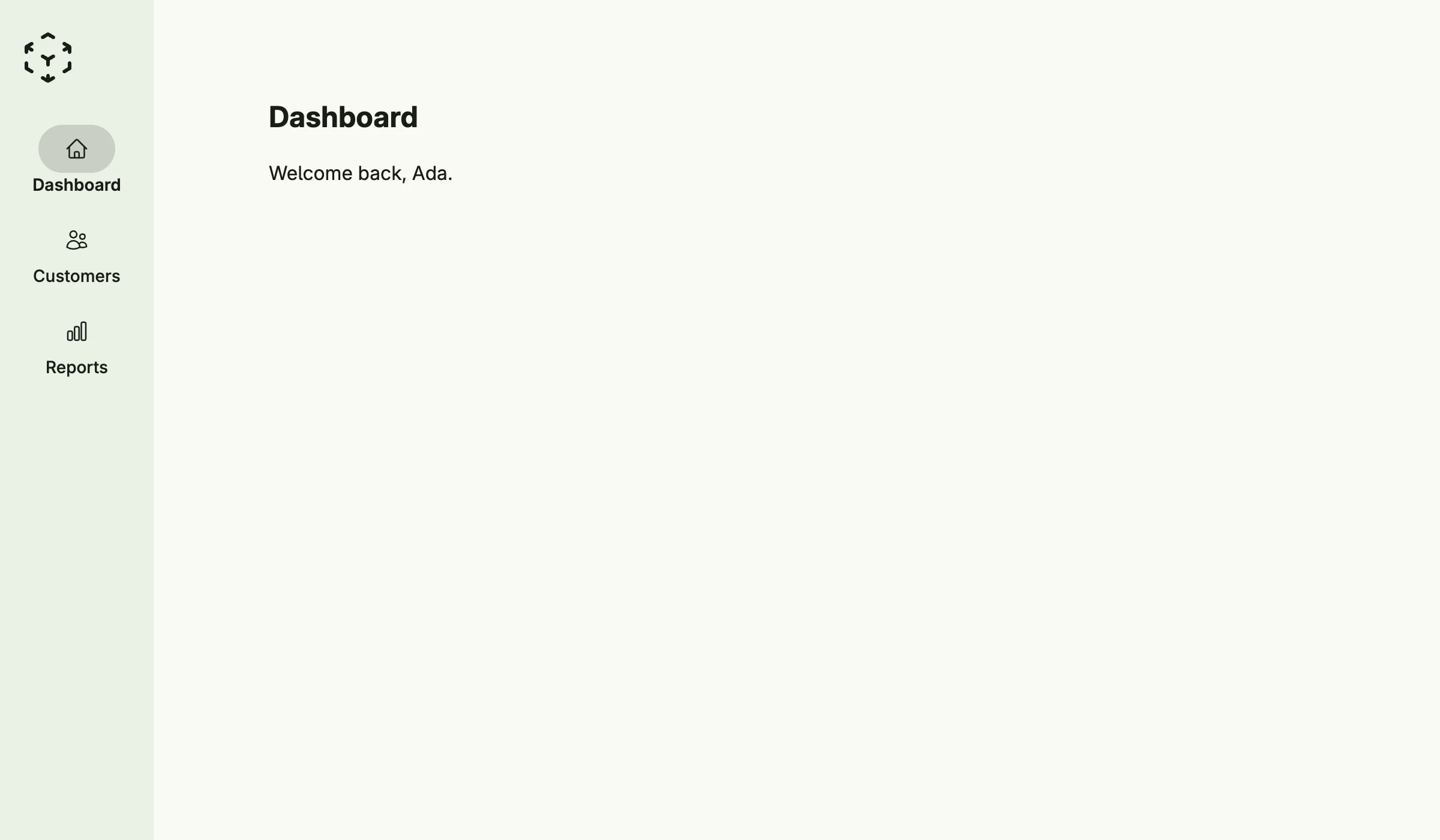
func view(wnd core.Window) core.View {
    return Scaffold(ScaffoldAlignmentLeading).
        Logo(Image().Embed(icons.CubeTransparent).Frame(Frame{}.Size(L48, L48))).
        Menu(
            ForwardScaffoldMenuEntry(wnd, icons.Home, "Dashboard", "scaffold"),
            ForwardScaffoldMenuEntry(wnd, icons.Users, "Customers", "customers"),
            ParentScaffoldMenuEntry(wnd, icons.ChartBar, "Reports",
                ScaffoldMenuEntry{Title: "Sales"},
                ScaffoldMenuEntry{Title: "Inventory"},
            ),
        ).
        Body(VStack(
            Text("Dashboard").Font(Title),
            Text("Welcome back, Ada."),
        ).Alignment(Leading).Gap(L16).Padding(Padding{}.All(L32)))
}
ForwardScaffoldMenuEntry creates an entry which navigates to a path and is highlighted there,
ParentScaffoldMenuEntry an entry with a sub menu. Set the fields of ScaffoldMenuEntry directly for
custom actions or views.
Constructors
func Scaffold(alignment ScaffoldAlignment) TScaffoldScaffold creates a new scaffold with the given alignment.
Methods
| Method | Description |
|---|---|
Alignment(alignment ScaffoldAlignment) TScaffold | Alignment places the navigation at the top or at the leading side. |
Body(view core.View) TScaffold | Body sets the main content body of the scaffold. |
BodyFullSize(fullSize bool) TScaffold | BodyFullSize lets the body use the full size of the content area. |
BottomView(view core.View) TScaffold | BottomView sets the optional bottom view of the scaffold, often used for secondary actions like user profile or settings. |
Breakpoint(breakpoint int) TScaffold | Breakpoint sets the window width, from which the scaffold shows its navigation bar or sidebar instead of the burger menu. |
Footer(view core.View) TScaffold | Footer sets the footer content of the scaffold. |
Height(height Length) TScaffold | Height sets the height of the scaffold. |
Logo(view core.View) TScaffold | Logo sets the logo or brand element of the scaffold. |
Menu(items ...ScaffoldMenuEntry) TScaffold | Menu sets the navigation menu entries for the scaffold. |
Related
- Screen
- Tutorial tutorial-17-scaffold
- Tutorial tutorial-52-scaffoldbuilder