Breadcrumbs
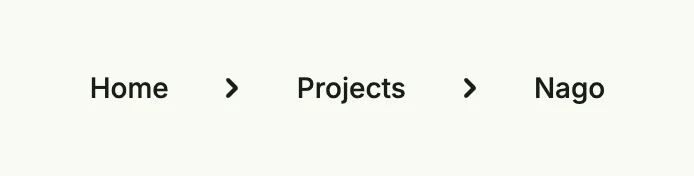
Breadcrumbs show the path of the user to the current page as a row of links separated by chevrons, e.g.
“Home › Projects › Nago”. Use them in nested navigation so that the user can jump back to a parent page. They live in
package presentation/ui/breadcrumb. Item appends a tertiary button; you can also pass any views to the
constructor.
breadcrumb.Breadcrumbs().
	ClampLeading().
	Item("Home", func() { wnd.Navigation().ForwardTo("/", nil) }).
	Item("Projects", func() {}).
	Item("Nago", func() {})
Constructors
| Constructor | Description |
|---|---|
func Breadcrumbs(items ...core.View) TBreadcrumbs | Breadcrumbs creates a new breadcrumb trail with the given items. |
Methods
| Method | Description |
|---|---|
ClampLeading() TBreadcrumbs | ClampLeading ensures that if the first entry is a default Item its title will be aligned to the leading of this component so that you can align the optical flight of text. |
Frame(frame ui.Frame) TBreadcrumbs | Frame defines the frame layout (size and positioning) of the breadcrumbs. |
Gap(l ui.Length) TBreadcrumbs | Gap sets the spacing between breadcrumb items. |
Item(title string, action func()) TBreadcrumbs | Item appends a default button with the given title and text. |
Padding(padding ui.Padding) TBreadcrumbs | Padding sets the inner padding around the breadcrumb trail. |
Related
- Button
- Tutorials: Line chart