Dialog
A dialog shows content in a modal window above the view, e.g. to confirm a destructive action or to edit a few
values. alert.Dialog from package presentation/ui/alert is the preferred way: it renders only while its
*core.State[bool] is true, and options add the usual buttons, which close the dialog by setting the state to
false. If you need full control over the layout, compose a Custom Dialog instead.
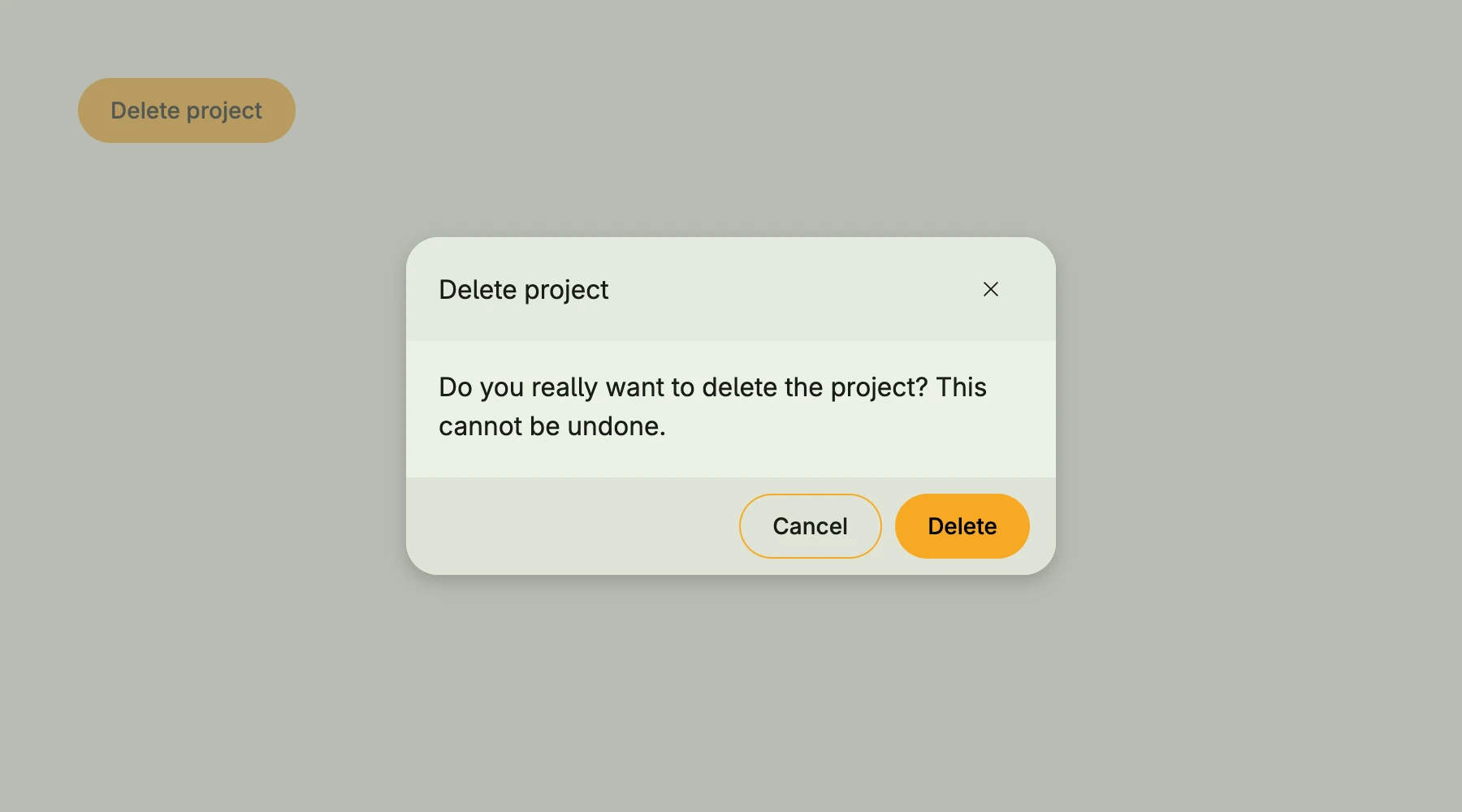
presented := core.AutoState[bool](wnd)

VStack(
	alert.Dialog(
		"Delete project",
		Text("Do you really want to delete the project? This cannot be undone."),
		presented,
		alert.Closeable(),
		alert.Cancel(nil),
		alert.Delete(func() {
			// delete the project
		}),
	),
	PrimaryButton(func() { presented.Set(true) }).Title("Delete project"),
)
Constructors
| Constructor | Description |
|---|---|
func Dialog(title string, body core.View, isPresented *core.State[bool], opts ...Option) TDialog | Creates a dialog with the given title, body, visibility state and options. |
Options
Buttons are always placed in the order ok, cancel, delete, save, custom. The save-like options take a callback which returns whether the dialog closes.
| Option | Description |
|---|---|
Ok() Option | Ok adds a default button that closes the dialog. |
Cancel(onCancel func()) Option | Adds a cancel button and closes the dialog on Escape. |
Back(onCancel func()) Option | Back adds a button that closes the dialog and triggers the given callback. |
Delete(onDelete func()) Option | Delete adds a button that closes the dialog and triggers the given callback. |
Save(onSave func() (close bool)) Option | Save adds a button that triggers the callback and optionally closes the dialog. |
Create(onSave func() (close bool)) Option | Like Save, with the caption “Create”. |
Add(onSave func() (close bool)) Option | Like Save, with the caption “Add”. |
Apply(onSave func() (close bool)) Option | Like Save, with the caption “Apply”. |
Close(onSave func() (close bool)) Option | Like Save, with the caption “Close”. |
Confirm(onSave func() (close bool)) Option | Like Save, with the caption “Confirm”. |
Custom(makeCustomView func(close func(closeDlg bool)) core.View) Option | Custom adds a custom footer (button) element. |
Closeable() Option | Adds a close icon button and closes the dialog on Escape. |
Alignment(alignment ui.Alignment) Option | Alignment sets the alignment of the dialog content. |
ModalPadding(padding ui.Padding) Option | ModalPadding defines the padding inside the modal dialog. |
PreBody(v core.View) Option | PreBody sets a view between title and body. |
Width(w ui.Length) Option | Width sets the dialog width to the given Length. |
MinWidth(w ui.Length) Option | MinWidth is probably not what you want. |
Large() Option | Large sets the dialog width to 560dp (35rem). |
Larger() Option | Larger sets the dialog width to 880dp (55rem). |
XLarge() Option | XLarge sets the dialog width to 1200dp (75rem). |
XXLarge() Option | XXLarge sets the dialog width to 1600dp (100rem). |
Height(h ui.Length) Option | Height sets the dialog height to the given Length. |
FullHeight() Option | FullHeight makes the dialog take the full available height. |
Methods
| Method | Description |
|---|
Related
- Custom Dialog and Modal
- Dialog Create and Dialog Edit for forms
- Banner
- Tutorials: Text field, Toggle, Checkbox