Alignment
Alignment positions the children of a container: one of the four edges, one of the four corners or the center.
Stacks, boxes, grid cells, table cells and many other components accept it. The zero value is Center.
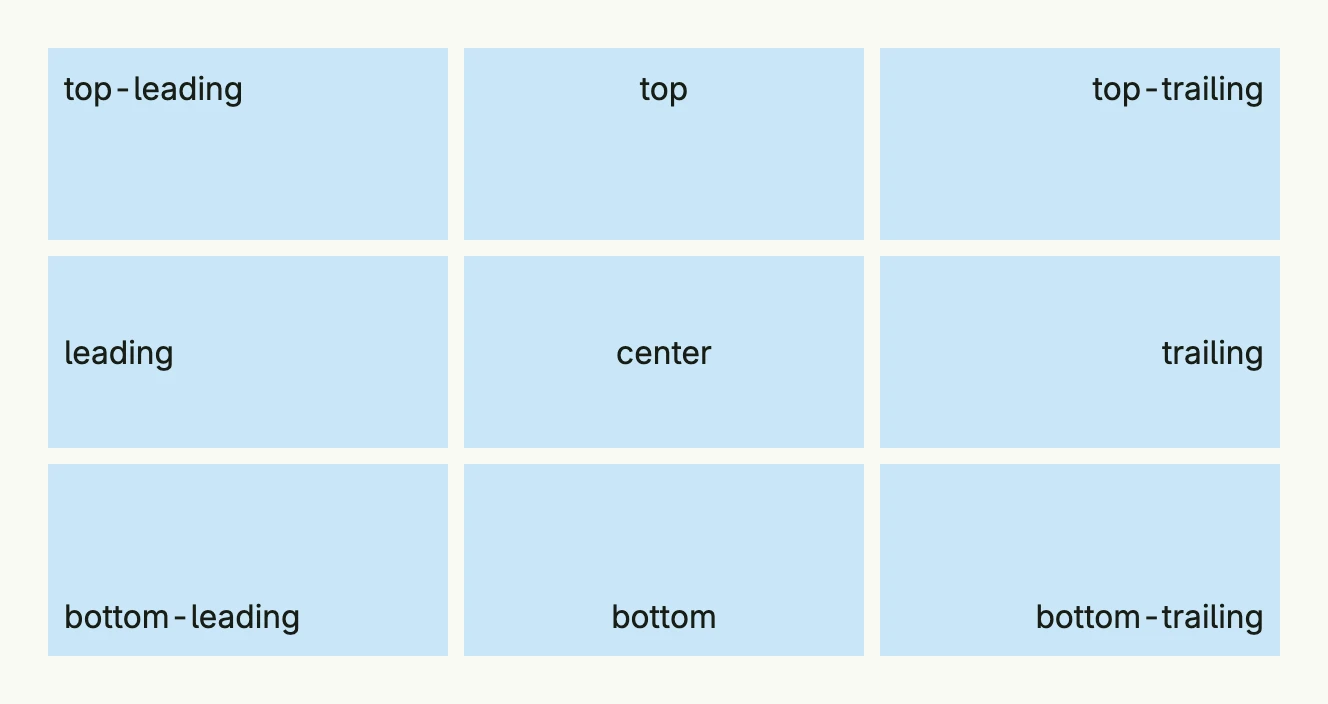
alignments := []Alignment{
	TopLeading, Top, TopTrailing,
	Leading, Center, Trailing,
	BottomLeading, Bottom, BottomTrailing,
}

return Grid(
	ForEach(alignments, func(a Alignment) TGridCell {
		return GridCell(
			VStack(Text(a.String())).
				Alignment(a).
				BackgroundColor("#C9E7F8").
				Padding(Padding{}.All(L8)).
				Frame(Frame{}.Size(L200, L96)),
		)
	})...,
).Columns(3).Gap(L8)
Stretch is an additional value which lets the content fill the available space, e.g. in a
GridCell. In a VStack the alignment also places the children horizontally: Leading
aligns them on the left edge, in an HStack Top aligns them on the top edge.
Constructors
Alignment is an enum. Use the constants Center, Top, Bottom, Leading, Trailing, TopLeading,
TopTrailing, BottomLeading, BottomTrailing and Stretch.
| Function | Description |
|---|---|
Alignments() []Alignment | Returns all alignments except Stretch. |
Methods
| Method | Description |
|---|---|
String() string | Returns a readable name like top-leading. |