Card Layout
The card layout of package cardlayout
arranges views, typically cards, in a responsive grid. By default it uses one column on small and medium windows,
two on large windows and three on wider ones; override this per window size class with Columns.
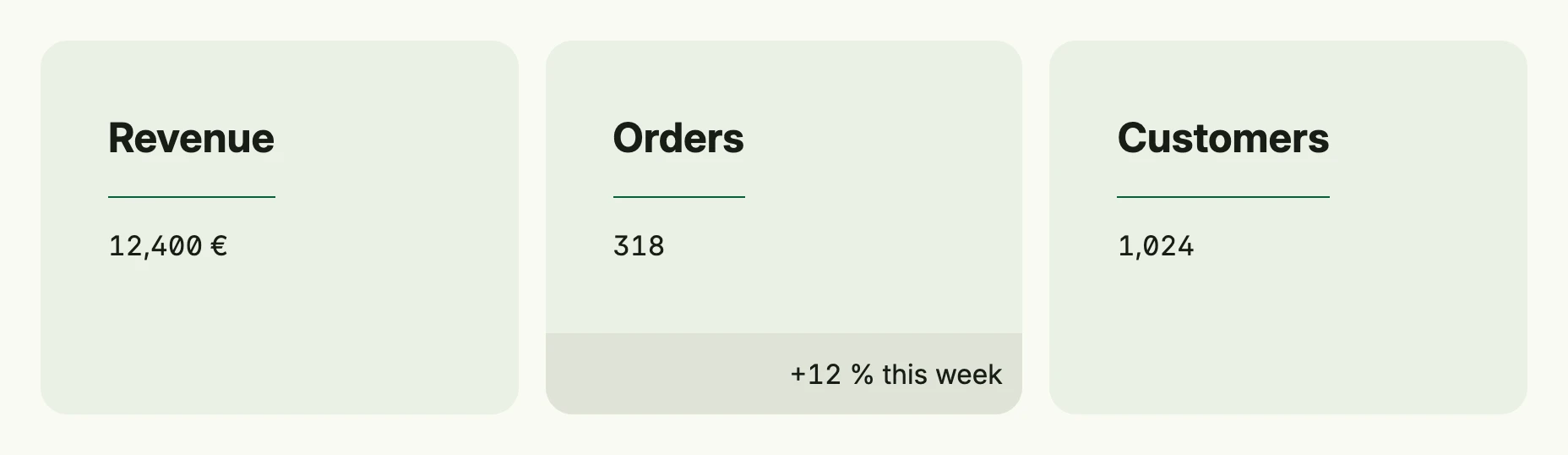
return cardlayout.Layout(
	cardlayout.Card("Revenue").Body(Text("12,400 €")),
	cardlayout.Card("Orders").Body(Text("318")).Footer(Text("+12 % this week")),
	cardlayout.Card("Customers").Body(Text("1,024")),
).Columns(core.SizeClassLarge, 3).
	Frame(Frame{Width: L880})
Constructors
| Constructor | Description |
|---|---|
cardlayout.Layout(children ...core.View) TCardLayout | Creates a card layout with the given children; nil children are skipped. |
The package also provides cardlayout.Card(title string) TCard, a card with title, body and optional footer.
Methods
| Method | Description |
|---|---|
Columns(class core.WindowSizeClass, columns int) TCardLayout | Sets a custom number of columns for a specific window size class. |
Frame(frame ui.Frame) TCardLayout | Sets the frame (size and positioning) for the card layout. |
Padding(padding ui.Padding) TCardLayout | Sets the inner spacing for the card layout. |