Table Row
A table row groups the cells of one line of a Table and sets row-level styling: height, background, hover background and a click action for the whole row.
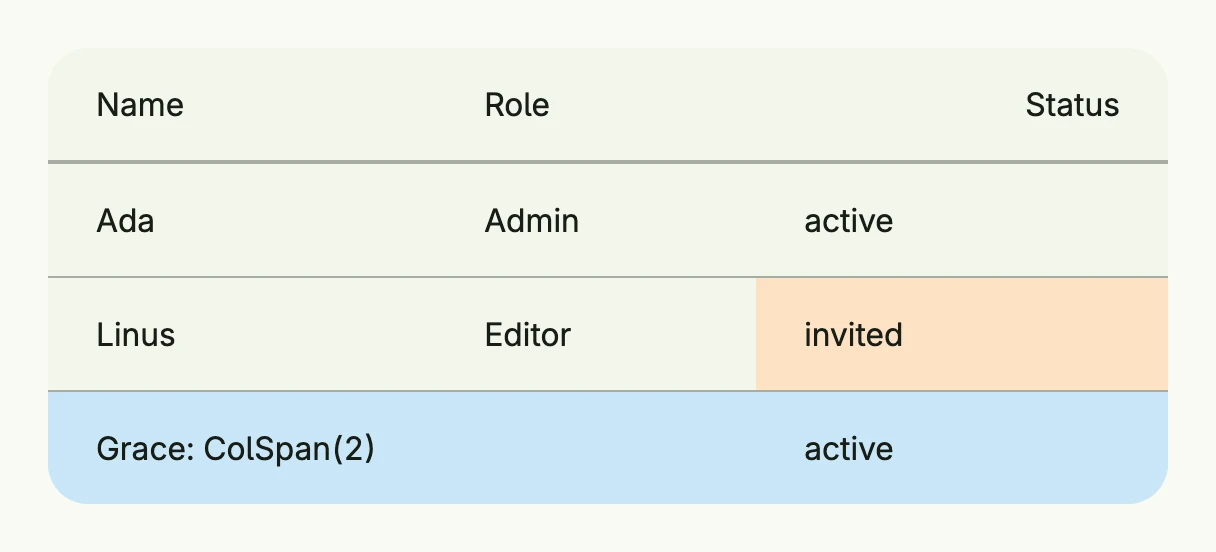
return Table(
	TableColumn(Text("Name")),
	TableColumn(Text("Role")).Width(L160),
	TableColumn(Text("Status")).Alignment(Trailing),
).Rows(
	TableRow(
		TableCell(Text("Ada")),
		TableCell(Text("Admin")),
		TableCell(Text("active")),
	),
	TableRow(
		TableCell(Text("Linus")),
		TableCell(Text("Editor")),
		TableCell(Text("invited")).BackgroundColor("#FDE2C4"),
	).HoveredBackgroundColor(ColorCardFooter),
	TableRow(
		TableCell(Text("Grace: ColSpan(2)")).ColSpan(2),
		TableCell(Text("active")),
	).BackgroundColor("#C9E7F8"),
).Frame(Frame{Width: L560})
Constructors
| Constructor | Description |
|---|---|
TableRow(cells ...TTableCell) TTableRow | Creates a new table row with the given cells. |
Methods
| Method | Description |
|---|---|
Action(action func()) TTableRow | Sets a click/tap action for the entire row. |
Append(cells ...TTableCell) TTableRow | Adds more cells to the row. |
BackgroundColor(backgroundColor Color) TTableRow | Sets the background color of the row. |
Height(height Length) TTableRow | Sets the row height. |
HoveredBackgroundColor(backgroundColor Color) TTableRow | Sets the background color when the row is hovered. |
Key(name, id string) TTableRow | Identifies the action across renders by what it acts on, e.g. (“row”, rowID). |
Related
- Table, Table Cell, Table Column
- Tutorials: Table