VStack
A VStack lays out its children in a column from top to bottom. It is the most common container of a Nago view and also serves as a styled, clickable container: it supports gaps, alignment, background, borders, hover and pressed states and an action.
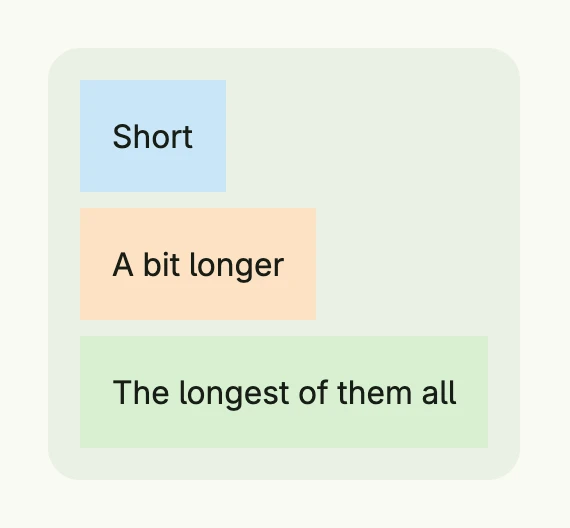
return VStack(
	Text("Short").BackgroundColor("#C9E7F8").Padding(Padding{}.All(L16)),
	Text("A bit longer").BackgroundColor("#FDE2C4").Padding(Padding{}.All(L16)),
	Text("The longest of them all").BackgroundColor("#D8F0D2").Padding(Padding{}.All(L16)),
).Gap(L8).
	Alignment(Leading).
	BackgroundColor(ColorCardBody).
	Padding(Padding{}.All(L16)).
	Border(Border{}.Radius(L16))
The alignment places the children horizontally within the column and the whole content within
the stack. A VStack wraps its content; call FullWidth() or set a Frame to give it a size.
Constructors
| Constructor | Description |
|---|---|
VStack(children ...core.View) TStack | Creates a container which lays out the given children in a column. Nil children are skipped. |
VStack returns a TStack (the alias TVStack exists for readability), the same type as HStack
and Stack. The heading helpers H1 to H6 and Heading(level int, title string) of the
text components return a TVStack as well.
Methods
All methods of TStack are listed on the Stack page. The most used ones are Gap,
Alignment, BackgroundColor, Padding, Border, Frame, FullWidth and Action.
Related
- HStack, Stack, Spacer, ScrollView
- Tutorials: Hello World, Combining views, Container