Custom Fonts
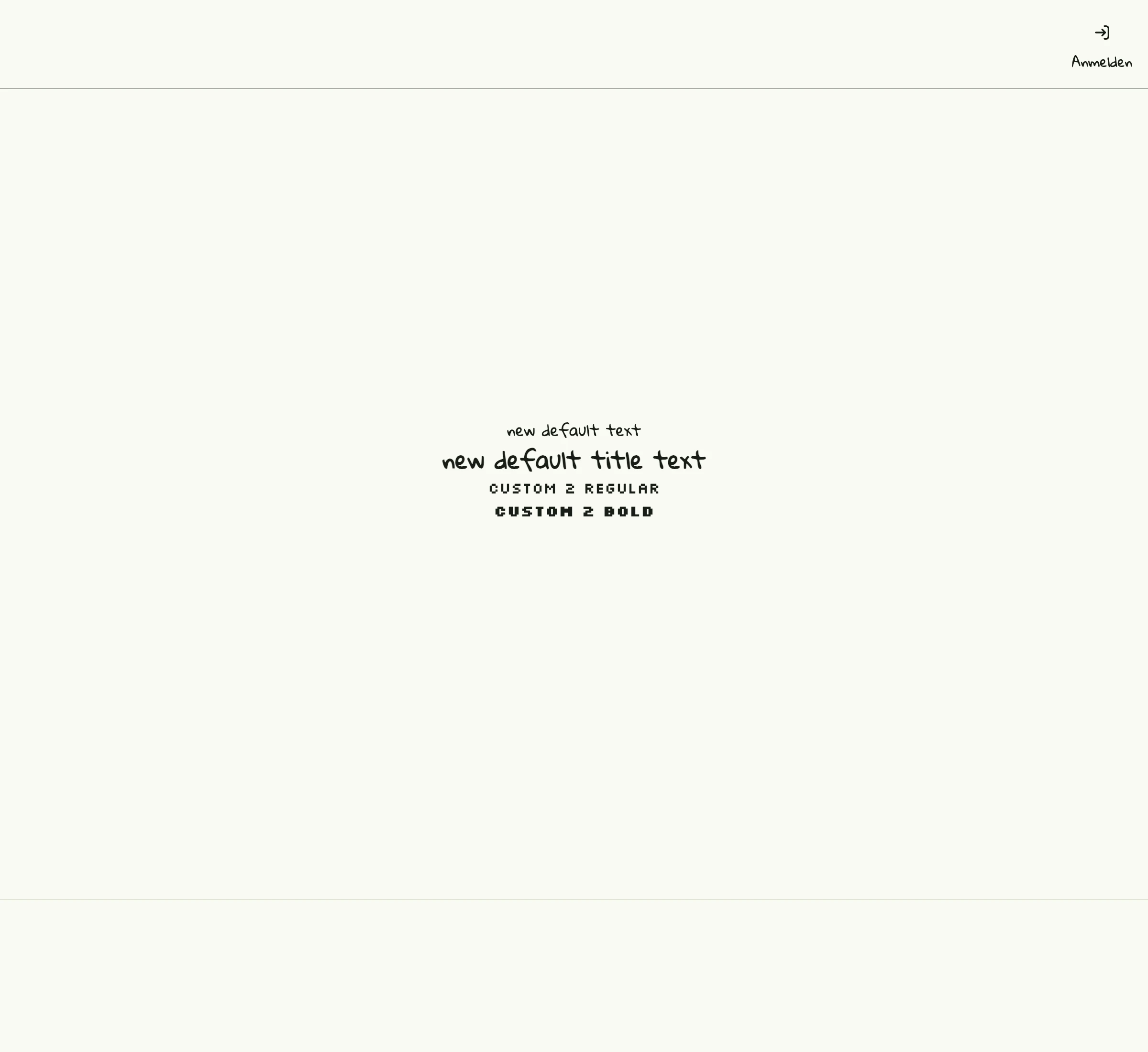
How to embed font files with cfg.Resource, register them as core.FontFace in the global theme.Settings and use them as the default font or per text with ui.Font{Name: ...}.
package main

import (
	_ "embed"
	"github.com/worldiety/option"
	"go.wdy.de/nago/application"
	"go.wdy.de/nago/application/settings"
	"go.wdy.de/nago/application/theme"
	"go.wdy.de/nago/pkg/std"
	"go.wdy.de/nago/presentation/core"
	"go.wdy.de/nago/presentation/ui"
	"go.wdy.de/nago/web/vuejs"
	"time"
)

//go:embed font/GloriaHallelujah-Regular.ttf
var fntGloria application.StaticBytes

//go:embed font/Silkscreen-Regular.ttf
var fntSilkscreenRegular application.StaticBytes

//go:embed font/Silkscreen-Bold.ttf
var fntSilkscreenBold application.StaticBytes

func main() {
	application.Configure(func(cfg *application.Configurator) {
		cfg.SetApplicationID("de.worldiety.tutorial_60")

		cfg.Serve(vuejs.Dist())
		cfg.SetDecorator(cfg.NewScaffold().
			Decorator())

		uriGloria := cfg.Resource(fntGloria)
		uriSilkRegular := cfg.Resource(fntSilkscreenRegular)
		uriSilkBold := cfg.Resource(fntSilkscreenBold)

		cfgTheme := settings.ReadGlobal[theme.Settings](option.Must(cfg.SettingsManagement()).UseCases.LoadGlobal)
		cfgTheme.Fonts.DefaultFont = "Gloria"
		cfgTheme.Fonts.Faces = nil // clear whatever has been defined in the past
		cfgTheme.Fonts.Faces = append(cfgTheme.Fonts.Faces,
			core.FontFace{
				Family: "Gloria",
				Source: uriGloria,
			},
			core.FontFace{
				Family: "Silk",
				Source: uriSilkRegular,
			},
			core.FontFace{
				Family: "Silk",
				Source: uriSilkBold,
				Weight: "bold",
			},
		)
		settings.WriteGlobal(option.Must(cfg.SettingsManagement()).UseCases.StoreGlobal, cfgTheme)

		std.Must(std.Must(cfg.UserManagement()).UseCases.EnableBootstrapAdmin(time.Now().Add(time.Hour), "%6UbRsCuM8N$auy"))

		cfg.RootViewWithDecoration(".", func(wnd core.Window) core.View {

			return ui.VStack(
				ui.Text("new default text"),
				ui.Text("new default title text").Font(ui.Title),
				ui.Text("custom 2 regular").Font(ui.Font{Name: "Silk"}),
				ui.Text("custom 2 bold").Font(ui.Font{Name: "Silk", Weight: ui.HeadlineAndTitleFontWeight}),
			).
				Frame(ui.Frame{}.MatchScreen())

		})
	}).
		Run()
}
View on GitHub ↗
· run it with go run go.wdy.de/nago/example/cmd/tutorial-60-customfont@latest