Admin Management
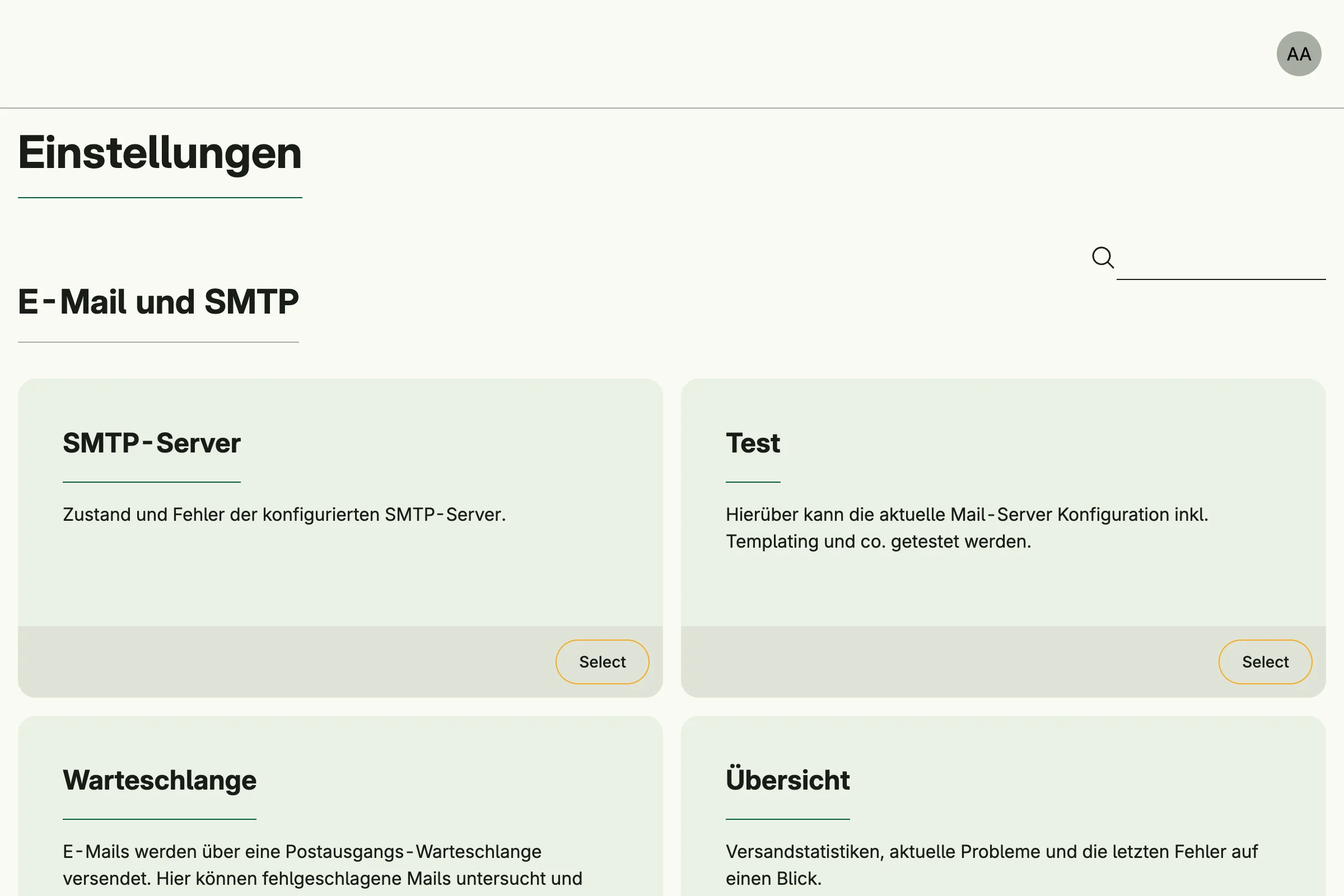
Admin Management provides the admin center at /admin. It collects the administration pages of all enabled
systems as cards, grouped by topic, and shows each user only the cards they have the permission for. A search
field filters the cards by title and text. Users reach the admin center from the account menu.
Enable
admin := std.Must(cfg.AdminManagement()) // application.AdminManagementAdmin Management is always enabled, because Session Management depends on it.
application.AdminManagement has the fields:
FindAll admin.FindAllGroups: all groups and cards which are visible to a subject.QueryGroups admin.QueryGroups: likeFindAll, but filtered by a search text.Pages uiadmin.Pageswith the pathAdminCenter(admin).
Add your own cards
Register a callback with AddAdminCenterGroup. It is called for each request with the current subject:
cfg.AddAdminCenterGroup(func(subject auth.Subject) admin.Group {
	return admin.Group{
		Title: "Library",
		Entries: []admin.Card{
			{
				Title:      "Books",
				Text:       "Manage the book inventory.",
				Target:     "admin/books",
				Permission: PermFindAllBooks,
			},
		},
	}
})
If a card sets a Role or a Permission, the subject must have it; a card without both is shown to every
signed-in user. Cards with an empty Target are dropped. Groups with the same title returned by different callbacks are
merged, groups and cards are sorted by title. Return an empty admin.Group to hide a group.
To replace the default behavior, mutate the system with WithAdminManagement:
cfg.WithAdminManagement(func(m *application.AdminManagement) {
	// replace m.FindAll, m.QueryGroups or m.Pages
})
Permissions
Admin Management declares no permissions. Opening /admin only requires a signed-in user, the visibility of
each card is controlled by its own permission.
Related
Every tutorial which calls cfg.StandardSystems() has an admin center, for example
built-in IAM.