AI Management
AI Management connects your application to large language models. It provides provider-independent chat sessions with a persisted history, agentic runs with tools, and a ready-made assistant: a floating chat button on every page which acts with the permissions of the current user. Providers for Anthropic, OpenAI-compatible servers (including Ollama) and a local llama.cpp runtime are included.
Enable
import (
	cfgai "go.wdy.de/nago/application/ai/cfg"
	_ "go.wdy.de/nago/application/ai/provider/anthropic" // link each provider you want to offer
)

ai := std.Must(cfgai.Enable(cfg)) // cfgai.Management
Providers register themselves when their package is linked: blank-import
go.wdy.de/nago/application/ai/provider/anthropic, .../openai or .../gollama. AI Management enables
Secret and Settings Management and declares the system
role AI Assistant User.
cfgai.Management has the fields:
UseCases ai.UseCases: the configured providers,SessionUseCases session.UseCases: persisted chat sessions,Assistant *cfgai.Assistant: the ready-made assistant.
Configure a provider
- Create a secret of the provider type (e.g. Anthropic) with the API token in the vault.
- Share it with the group System.
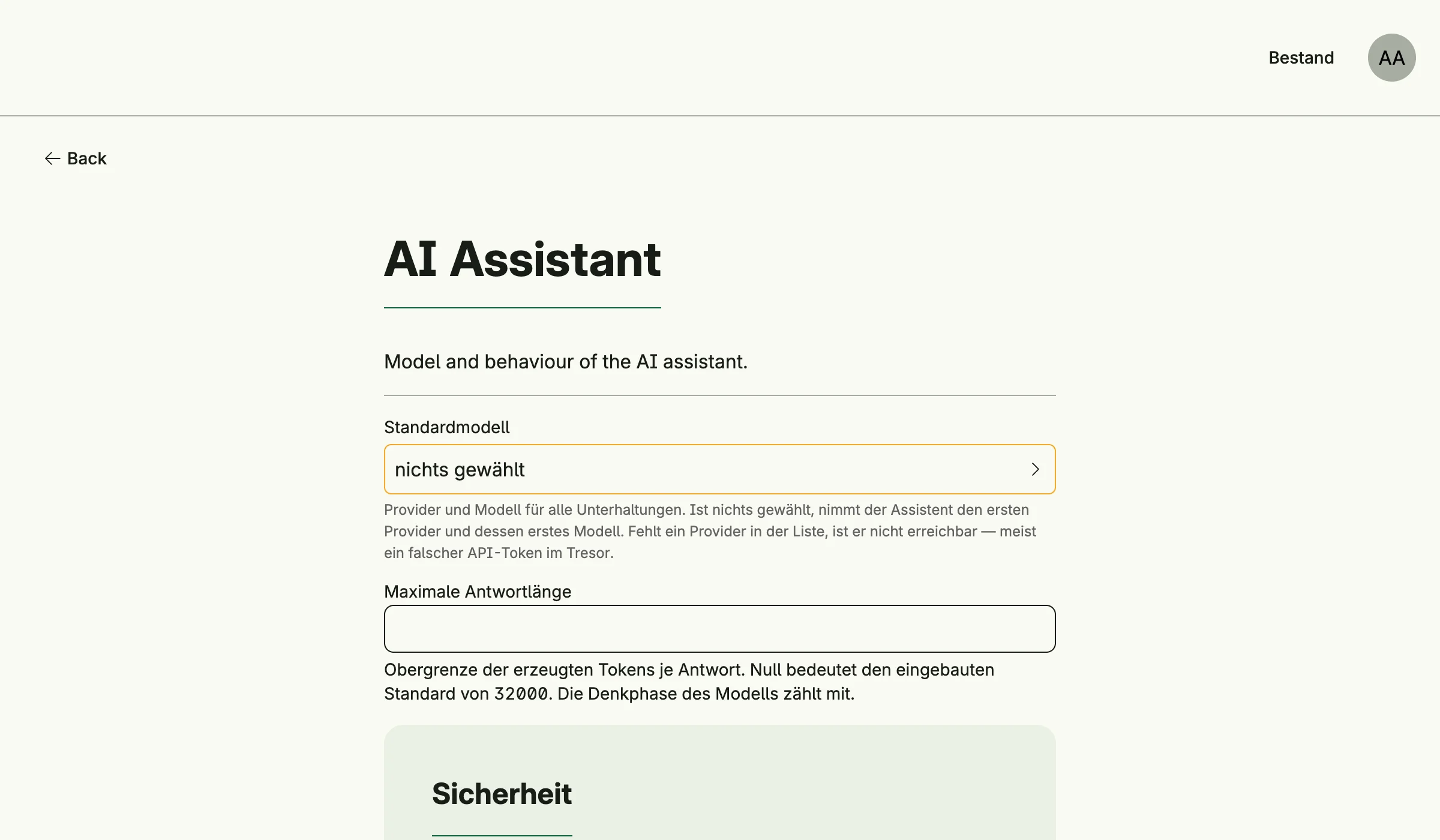
- Optionally choose the default model and limits in the admin center under Einstellungen → AI Assistant.
Providers are reloaded automatically when a secret changes.
Nago AI Service
Instead of keeping provider credentials in every instance, an instance can use the Nago AI Service (NAIS), a gateway to several providers, which counts the tokens of every instance for the billing. Link its package:
import _ "go.wdy.de/nago/application/ai/provider/nais"The provider Nago AI Service then appears by itself, no secret is needed: the instance enrolls like with the Nago
Mail Service. A public https origin is called back under /api/nago/v1/ai/nonce/, a local instance like
http://localhost:3000 is admitted if it calls from an address the service knows. The service decides which models
the instance may call and which is its default.
| Variable | Meaning |
|---|---|
NAGO_AI_SERVICE | Endpoint of the service, default https://ai.worldiety.nago.app. off disables it. |
NAGO_AI_SERVICE_TOKEN | Optional refresh token issued by the operator of the service, for instances that cannot enroll themselves. |
The service speaks the Messages API of Anthropic, so the provider is the Anthropic provider pointed at the service, including streaming and files.
Decorate every provider
An application that meters or limits the use of AI per subject wraps every provider, those of the vault as well as services like the Nago AI Service:
ai, err := cfgai.Enable(cfg)
// ...
if err := ai.DecorateProviders("usage", func(p provider.Provider) (provider.Provider, error) {
	return aiusage.Wrap(store, p), nil
}); err != nil {
	return err // refuse to start without metering
}
The providers are reloaded at once, and an error of the decorator is returned. Registering the same name again
replaces the decorator instead of wrapping twice. Later reloads, e.g. after a secret changed, decorate again and
leave out a provider its decorator fails on. A decorator must keep the identity of the provider, must keep its state,
like counters, outside of the wrapper, and should also account a stream its consumer stops early. Resolve providers
by their id whenever needed instead of keeping them, and check after configuring with FindAllProvider that every
provider is wrapped, if an unmetered call must never happen.
Add the assistant
Decorate every page with the assistant button:
scaffold := cfg.NewScaffold().Decorator()
cfg.SetDecorator(func(wnd core.Window, view core.View) core.View {
	return scaffold(wnd, ai.Assistant.Decorate(wnd, view, cfgai.AssistantOptions{
		Title:   "Assistant",
		History: true,
	}))
})
AssistantOptions also sets agents with their tools and system prompts, file upload, confirmation of
mutating tools and the position of the button. Users need the role AI Assistant User
(cfgai.RoleAssistantUser); without it, without a provider or when an operator hides the assistant, the
view is returned unchanged and the reason is logged.
Use cases
| Use case | Description |
|---|---|
UseCases.FindAllProvider | Lists the configured providers. |
UseCases.FindProviderByID, FindProviderByName | Look up a provider. |
UseCases.ReloadProvider | Rebuilds the providers from the vault. |
SessionUseCases.Create | Creates a chat session. |
SessionUseCases.FindByID, FindAll | Load sessions visible to the subject. |
SessionUseCases.Append | Adds a user message and runs the completion, agentic when tools are set. |
SessionUseCases.Resolve | Answers a pending question or tool approval and continues. |
SessionUseCases.Dismiss | Closes pending decisions and cancels background tasks. |
SessionUseCases.Rename, Delete | Rename or delete a session. |
Permissions
| Permission | Allows to |
|---|---|
nago.ai.provider.find_all | list providers |
nago.ai.provider.find_by_id | view a provider |
nago.ai.provider.find_by_name | view a provider by name |
nago.ai.provider.reload | reload providers |
nago.ai.model.find_all | list models |
nago.ai.session.create | create sessions |
nago.ai.session.find_by_id | view a session |
nago.ai.session.find_all | list sessions |
nago.ai.session.append | send messages, answer decisions |
nago.ai.session.rename | rename sessions |
nago.ai.session.delete | delete sessions |
The system role nago.ai.assistant.user contains provider.find_all, model.find_all and
session.create. It grants no access to business data: the assistant acts with the permissions of its user.
Sessions are registered as a ReBAC resource.
UI
AI Management has no admin page of its own. Providers are configured in the vault, the assistant in the settings card AI Assistant.
Related
- Tutorial: AI shows sessions, agentic runs, file upload and drive tools.
- Tutorial: AI assistant adds the assistant to a complete application, together with requirements.