Group Management
Group Management creates and maintains user groups. A group bundles users, for example a department, and is used to share resources such as secrets or drive files with all of its members. Unlike a role, a group carries no permissions of its own. Memberships are managed in User Management.
Enable
groups := std.Must(cfg.GroupManagement()) // application.GroupManagementGroup Management is always enabled, because User Management depends on it. It has the fields
UseCases group.UseCases and Pages uigroup.Pages with the path Groups.
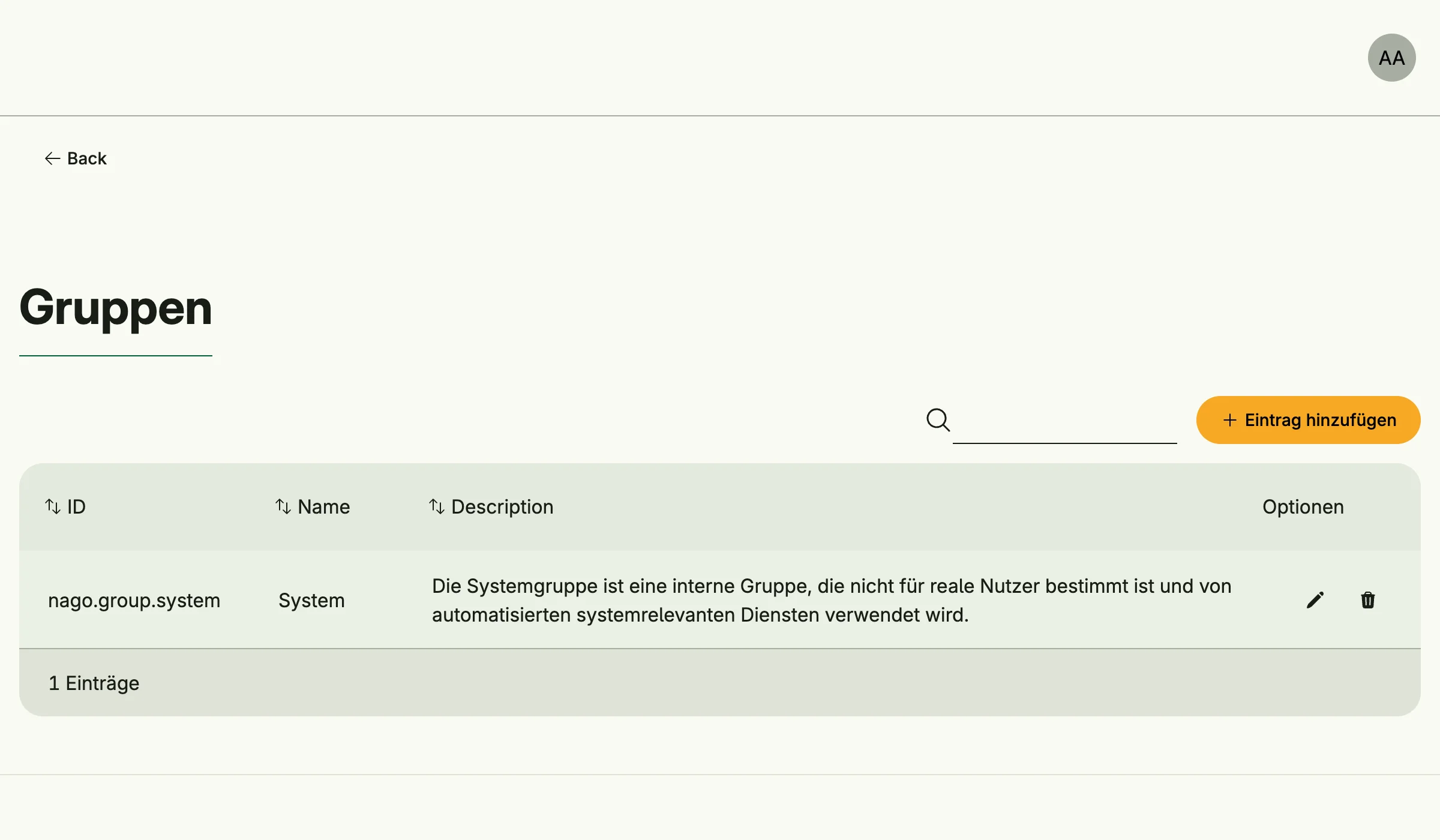
On every start the system group group.System (nago.group.system) is created or updated. It is meant for
internal services, not for real users: for example, an SMTP server secret must be shared with it to be used
by Mail Management.
Use cases
| Use case | Description |
|---|---|
FindByID | Loads a group. |
FindAll | Lists all groups. |
Create | Creates a group. |
Update | Updates a group. |
Upsert | Creates or updates a group by its ID. |
Delete | Deletes a group. |
FindMyGroups | Lists the groups the subject is a member of. |
The events group.Updated and group.Deleted are published.
Permissions
| Permission | Allows to |
|---|---|
nago.group.find_by_id | view a group |
nago.group.find_all | list all groups |
nago.group.create | create groups |
nago.group.update | update groups |
nago.group.delete | delete groups |
UI
The page admin/groups lists, creates, edits and deletes groups. The admin center shows the card Gruppen
in the group Nutzerverwaltung.
Related
- User Management assigns users to groups.
- ReBAC lists groups as a resource.