Permission Management
A permission is the most fine-grained unit of access control. Permissions are declared in code at development time and cannot be created or changed at runtime. You grant them to roles or directly to users. Permission Management lists all declared permissions.
Declare a permission
Declare one permission per use case, usually as a package variable next to it, and check it with Audit:
var PermSayHello = permission.Declare[SayHello]("de.worldiety.tutorial.say_hello", "Say hello", "Allows to greet everyone.")

type SayHello func(subject auth.Subject) string

func NewSayHello() SayHello {
	return func(subject auth.Subject) string {
		if err := subject.Audit(PermSayHello); err != nil {
			return err.Error()
		}

		return "hello " + subject.Name()
	}
}- The ID must be lower case and dot separated, e.g.
my.app.book.create. Declaring an ID twice panics. - The type parameter is the use case type and must be a named function type.
permission.DeclareCreate,DeclareFindByID,DeclareFindAll,DeclareUpdate,DeclareDeleteByIDand similar helpers derive English and German names from an entity name.permission.All()andpermission.Find(id)look up declared permissions.
The bootstrap admin only gets the nago.* permissions, so grant your
own permissions through a role.
Enable
perms := std.Must(cfg.PermissionManagement()) // application.PermissionManagementPermission Management is always enabled. It has the fields UseCases permission.UseCases and
Pages uipermission.Pages with the path Permissions.
Use cases
| Use case | Description |
|---|---|
FindAll | Lists all declared permissions, sorted by name. |
Permissions
| Permission | Allows to |
|---|---|
nago.permission.find_all | list all permissions |
UI
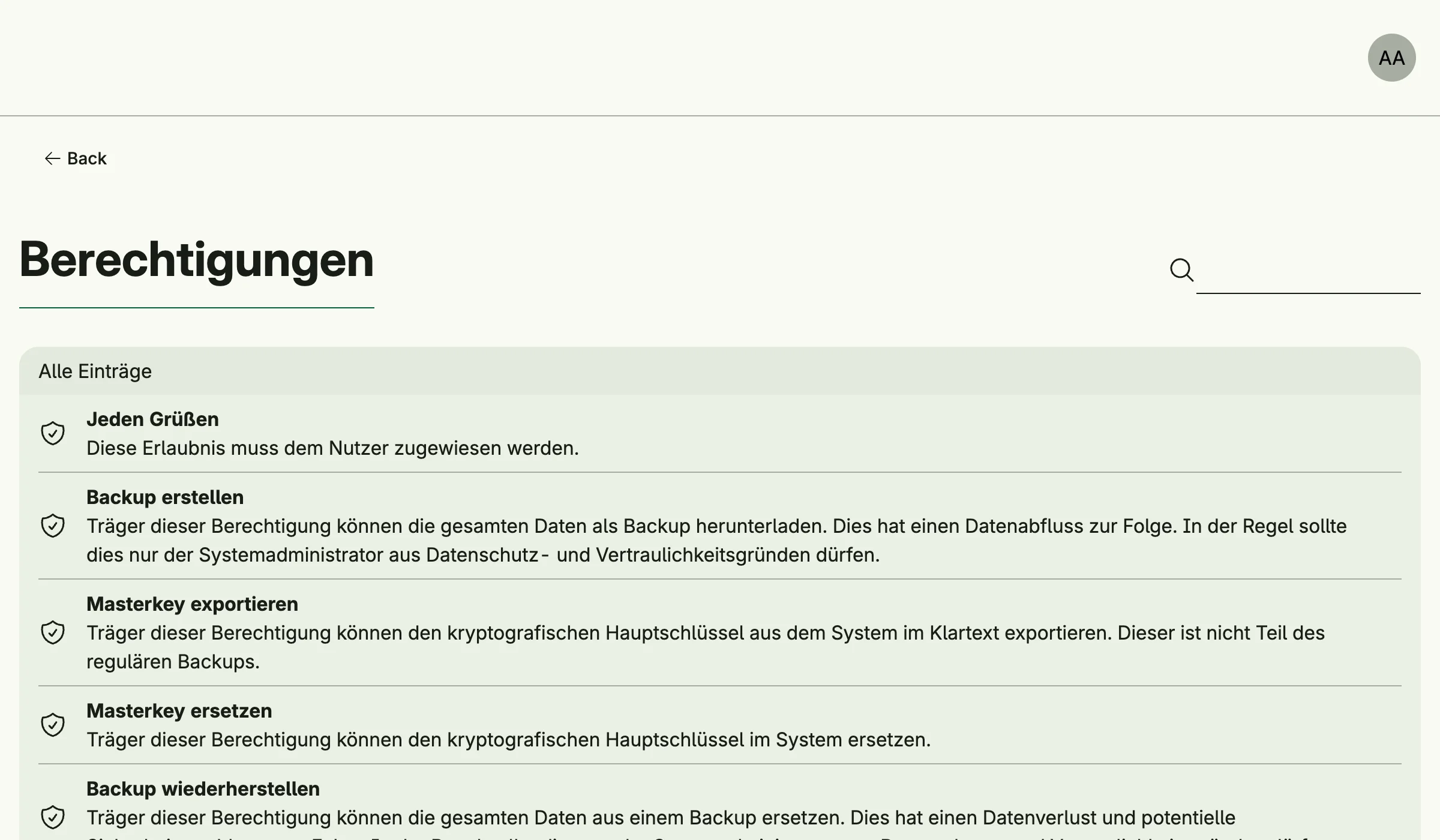
The read-only list admin/permissions shows all permissions. The admin center shows the card
Berechtigungen in the group Nutzerverwaltung.
Related
- Tutorial: built-in IAM declares and checks a permission.
- ReBAC grants permissions on single resources.