Settings Management
Settings Management stores global settings: one instance per settings type for the whole application. Other systems keep their configuration here, for example the user settings (registration, password reset, consents, single sign-on) and the theme. Every settings type gets a form in the admin center, generated from its struct.
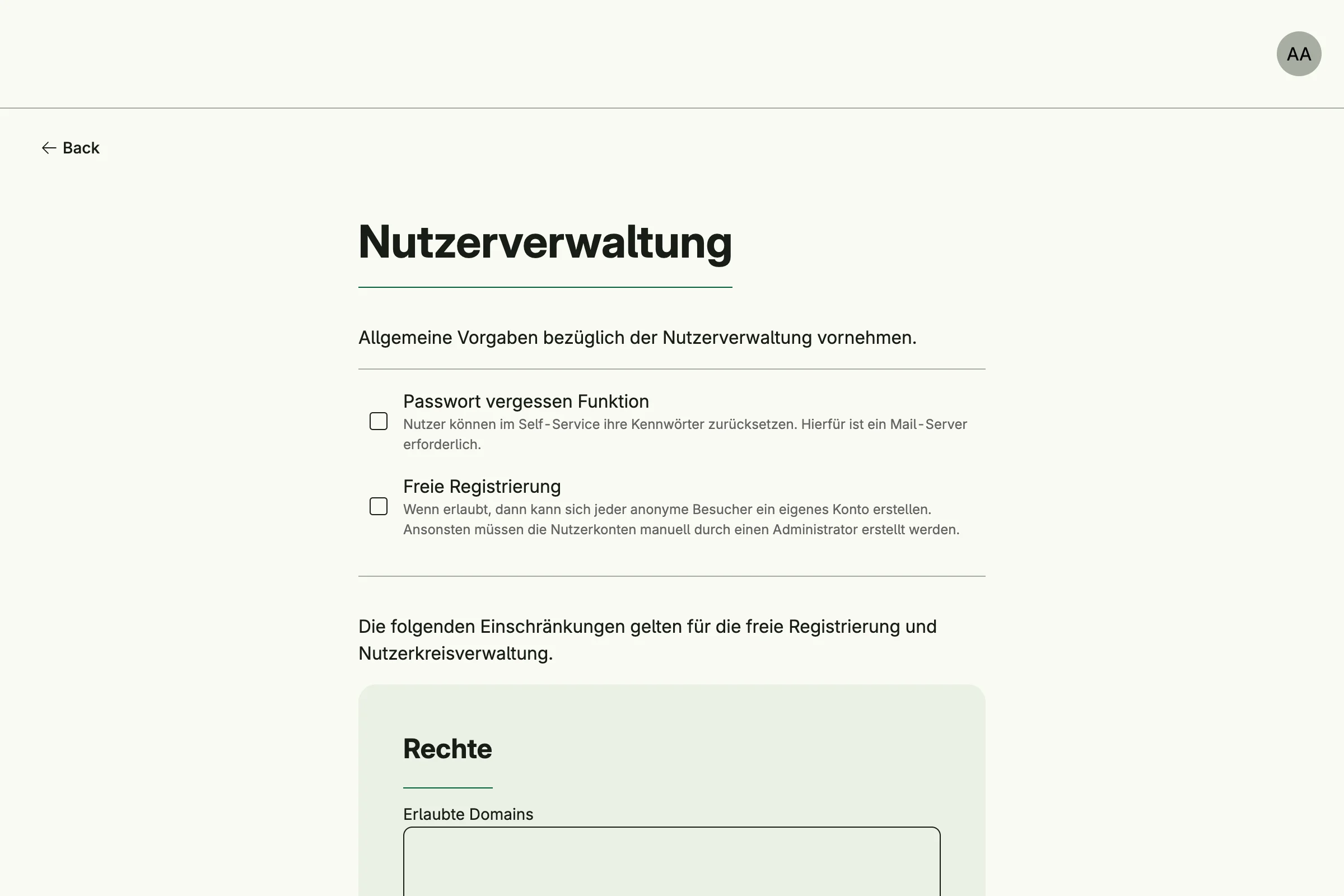
Enable
settingsMgmt := std.Must(cfg.SettingsManagement()) // application.SettingsManagementSettings Management is always enabled, because User Management depends on it. It has the fields
UseCases settings.UseCases and Pages uisettings.Pages with the path PageSettings.
Declare your own settings
A settings type is a struct which implements settings.GlobalSettings and is registered as an enum variant.
The zero value must be a valid configuration. The tags of the blank field set the title and description of
the admin card:
type MySettings struct {
	_          any    `title:"My module" description:"Settings of my module."`
	Greeting   string `label:"Greeting" supportingText:"Shown on the start page."`
	MaxEntries int    `label:"Maximum entries"`
}

func (MySettings) GlobalSettings() bool { return true }

var _ = enum.Variant[settings.GlobalSettings, MySettings]()
Read and write settings with the generic helpers. They run as the system user, so they bypass the permission check, and only log errors:
s := settings.ReadGlobal[MySettings](settingsMgmt.UseCases.LoadGlobal)
s.Greeting = "Hello"
settings.WriteGlobal(settingsMgmt.UseCases.StoreGlobal, s)
Call LoadGlobal and StoreGlobal directly to check the permissions of a subject and handle errors.
Use cases
| Use case | Description |
|---|---|
LoadGlobal | Loads the global instance of a settings type, or its zero value. |
StoreGlobal | Saves a global settings instance and publishes settings.GlobalSettingsUpdated. |
LoadMySettings and StoreMySettings for per-user settings are declared but not implemented yet.
Permissions
| Permission | Allows to |
|---|---|
nago.settings.global.load | view global settings |
nago.settings.global.store | save global settings |
UI
The admin center group Einstellungen has a card per settings type, which opens
admin/settings/global?type=<id> with a generated form.
Related
- Tutorial: settings declares its own settings type.
- Tutorial: custom font writes the theme settings.